
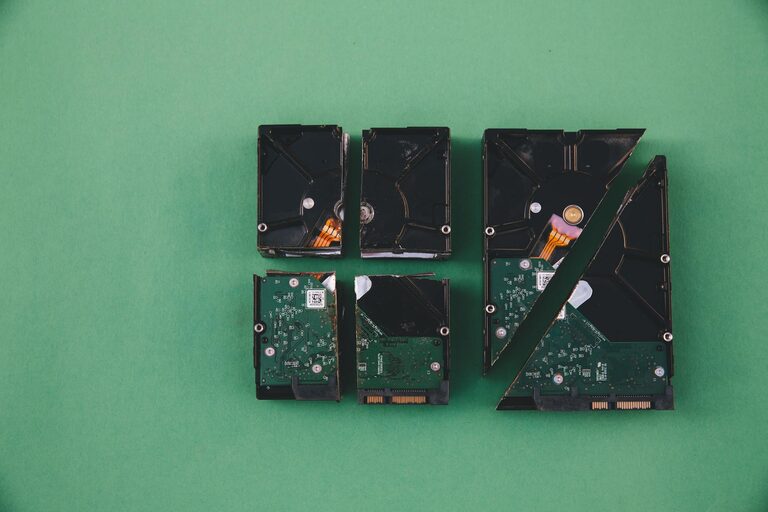
Backing up your photos and files is one of the most important steps you can take to protect your digital memories and important documents. Whether it’s cherished family photos, work files, or personal projects, losing data can be frustrating and sometimes irreversible. Fortunately, backing up your data is easier than ever. In this guide, we’ll explore why backups matter and how you can create reliable backups using different methods.
Why You Should Back Up Your Photos and Files
Digital devices can fail without warning. Hard drives might crash, phones can get lost or stolen, and accidental deletion happens more often than we realize. Having backups means you can restore your files quickly, minimizing stress and preventing permanent loss.
Some key reasons to back up your data include:
– Protection against hardware failure
– Easy recovery from accidental deletion
– Safeguarding against theft or loss of your device
– Defending against malware or ransomware attacks
Building a habit of backing up regularly ensures your most valued content remains safe no matter what happens.
Common Backup Methods
There are several ways to back up your photos and files. Combining more than one method is often the best approach.
1. External Hard Drives
Using an external hard drive is a popular backup method because it is affordable and straightforward.
– How to use: Connect the drive to your computer and manually copy your important files. You can also use backup software to automate the process.
– Advantages: Large storage capacity, one-time purchase cost, no internet needed.
– Considerations: Physical devices can fail or get damaged; keep the drive in a safe place.
2. USB Flash Drives
Flash drives are small, portable, and easy to use for quick backups.
– How to use: Plug the USB into your device and drag files over.
– Advantages: Convenient for small amounts of data, very portable.
– Considerations: Limited storage compared to hard drives; easier to lose due to small size.
3. Cloud Storage Services
Cloud backups store your data on secure remote servers accessible via the internet.
Popular options include Google Drive, Dropbox, Microsoft OneDrive, and Apple iCloud.
– How to use: Sign up for a service, upload your files, and enable automatic syncing if available.
– Advantages: Access files from any device, automatic backups, data safe from local device issues.
– Considerations: May require a subscription for large storage, depends on internet connection.
4. Network Attached Storage (NAS)
NAS devices connect to your home or office network, allowing multiple devices to back up to a centralized location.
– How to use: Set up the NAS device on your network and configure backup tasks.
– Advantages: Large capacity, accessible from several devices, controlled by you.
– Considerations: More technical setup required, higher initial cost.
Creating an Effective Backup Plan
Backing up isn’t just about copying files once; it’s about consistency and reliability.
Step 1: Identify What to Back Up
– Prioritize irreplaceable items like photos, videos, personal documents, and work files.
– Consider including system settings and application data if needed.
Step 2: Choose Backup Locations
– Use at least two different backup methods (for example, an external drive and cloud storage).
– Keep one backup off-site or in the cloud to protect against fire or theft.
Step 3: Set a Schedule
– Decide how often to back up based on how frequently your files change.
– For frequent changes, weekly or daily backups may be ideal.
– Automate backups when possible to avoid forgetting.
Step 4: Label and Organize Backups
– Clearly name backup files or folders with dates.
– Keep a simple log or use backup software that keeps track of versions.
Tips for Maintaining Your Backups
– Test restore function: Occasionally try restoring files from your backups to ensure they work.
– Keep backups updated: Replace or add new backups regularly.
– Secure your backups: Use passwords or encryption, especially for cloud and portable drives.
– Clean up old files: Remove unnecessary files to save space and keep backups manageable.
Conclusion
Backing up your photos and files is an essential part of digital life. With simple tools like external drives and cloud services, anyone can set up a backup system that fits their needs and budget. Remember, a good backup plan includes multiple locations, regular schedules, and a clear method for retrieving your files when necessary.
Start today by choosing a backup method and setting up that first copy of your important photos and documents. Your future self will thank you!